
Attached Terminals (SwiftTerm)
Dieser Inhalt ist noch nicht in deiner Sprache verfügbar.
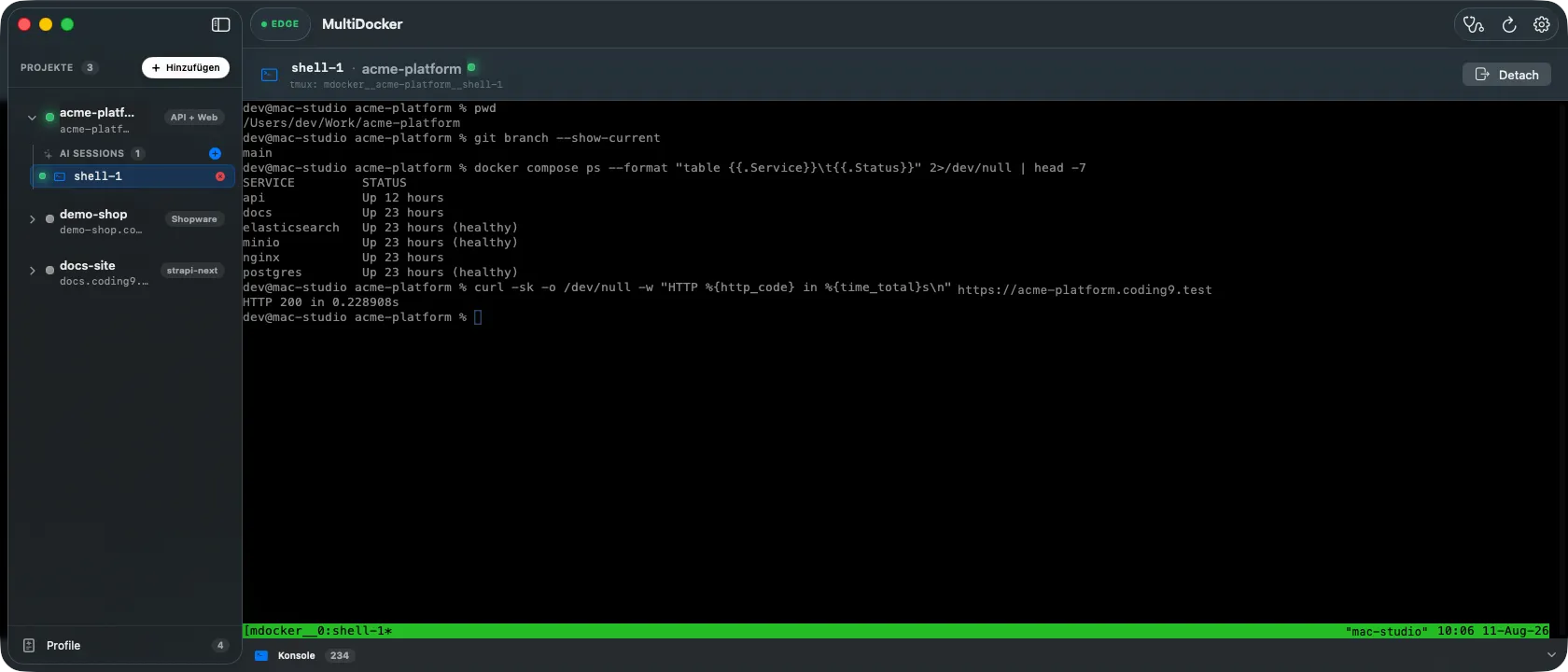
The app can run a real terminal inside a project’s context and attach to it in a window. Under the hood these are ordinary tmux sessions managed by the CLI, so they keep running even when you quit the app.
What a session is
Section titled “What a session is”A session is a named tmux session, created by engine/terminal.sh and recorded in the
registry under .projects[<name>].sessions[]. Each session
runs one of several tools:
| Tool | What it starts |
|---|---|
claude |
Claude Code, in the project directory |
copilot |
GitHub Copilot CLI |
shell |
a plain shell in the project |
exec |
a docker compose exec shell into a running service |
Sessions are named mdocker__<project>__<id>, so they’re easy to find in tmux.
Creating one
Section titled “Creating one”In the app, expand a project in the sidebar (or use its Sessions card) and pick “new
session”. You choose the tool and, for exec, the target service and shell. The equivalent
CLI is:
mdocker terminal new <name> --tool claudemdocker terminal exec <name> shop # shell into the "shop" servicemdocker terminal list <name>mdocker terminal kill <name> <session-id>The AI tools start in the project’s ai_session_path if one is configured (otherwise the
project root).
Attaching in the app
Section titled “Attaching in the app”The app embeds the terminal with SwiftTerm — a native terminal emulator. TerminalView
wraps SwiftTerm’s LocalProcessTerminalView and runs tmux attach -t =<name> with mouse
support enabled, so you get a fully interactive terminal right inside the app window.
Sessions survive app quit
Section titled “Sessions survive app quit”Sandbox mode
Section titled “Sandbox mode”AI tool sessions can run in a sandbox mode (--sandbox / --no-sandbox), recorded per
session in the registry. Use it to constrain what an AI agent can touch while it works in
your project.
Cleaning up
Section titled “Cleaning up”Sessions are tracked in the registry, so dead ones can accumulate if a tmux server is
restarted. mdocker terminal prune <name> drops registry entries whose tmux session no
longer exists, keeping the list honest.
Cookie-Einstellungen
Statistik-Werkzeuge setzen wir nur ein, wenn du zustimmst. Die notwendige Speicherung hält die Seite funktionsfähig; alles andere bleibt aus, bis du entscheidest.
Speichert deine Entscheidung aus diesem Dialog in deinem Browser (localStorage). Kein Cookie, keine Weitergabe an Dritte.
Google Analytics 4 über den Google Tag Manager, um die Nutzung der Seite zu messen. Wird erst nach deiner Einwilligung geladen.