
Installing & Runtime Model
Dieser Inhalt ist noch nicht in deiner Sprache verfügbar.
The app doesn’t depend on a separately-installed CLI. It bundles its own copy of the
mdocker runtime and manages it under ~/.multidocker/. This page explains that model —
how the runtime is laid out, how updates work, and why your certs and projects survive them.
First run
Section titled “First run”On first launch the app opens a six-step wizard that gets you to a working setup:
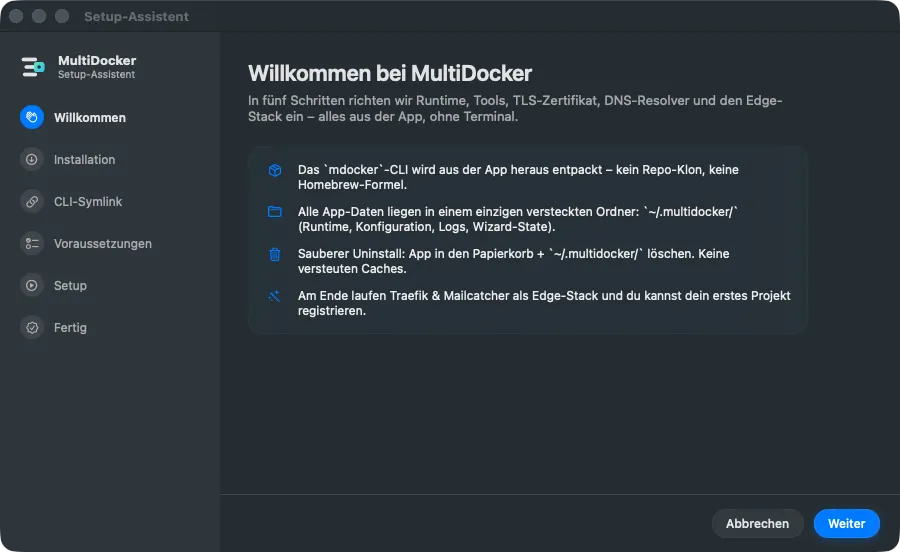
- Welcome
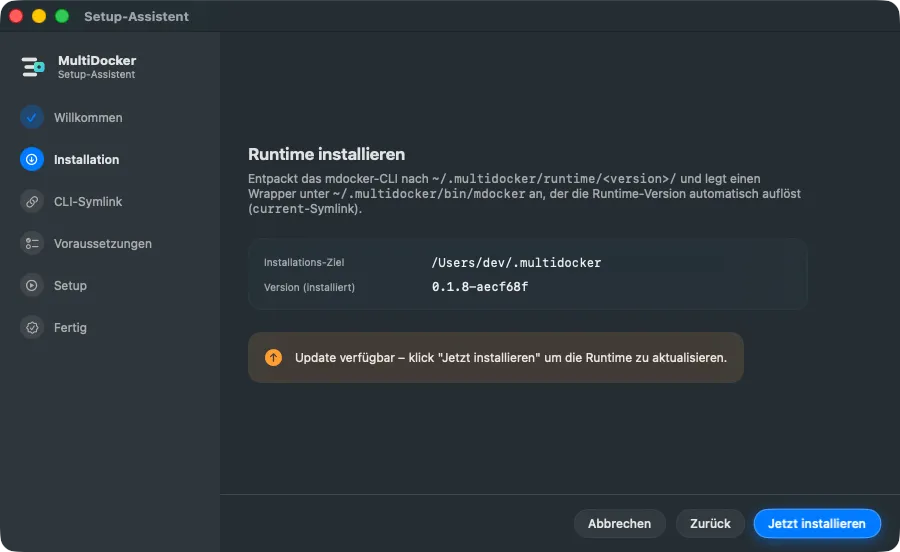
- Install — extract the bundled runtime into
~/.multidocker/runtime/<version>/. - Symlink — optionally install a user CLI symlink at
~/.local/bin/mdocker. - Tools — install the prerequisite Homebrew packages (
mkcert,yq,jq, …). - Setup — TLS CA + wildcard cert, DNS resolver, docker network, edge stack (this is the admin step that asks for your password once).
- Done
Any project you register during the wizard shows up in the main window automatically when it closes — no manual refresh needed.
The runtime directory
Section titled “The runtime directory”The app manages everything under ~/.multidocker/:
~/.multidocker/├── bin/mdocker wrapper that resolves the "current" runtime├── runtime/│ └── <version>/ extracted runtime (bin, lib, engine, scripts, edge)├── current → runtime/<v> symlink updated by the installer├── config/ registry, overrides, certs, snapshots, tunnels├── preferences/preferences.json├── state/{wizard.json, .migrated-*}└── logs/console-YYYY-MM.logInstallerService extracts a runtime.tar shipped inside the app bundle into a
version-stamped folder, then repoints the current symlink at it. The bin/mdocker wrapper
always resolves through current, so the app and any user symlink transparently pick up the
active version.
The Install step shows both sides of that: where the runtime lands, and which version is currently active.
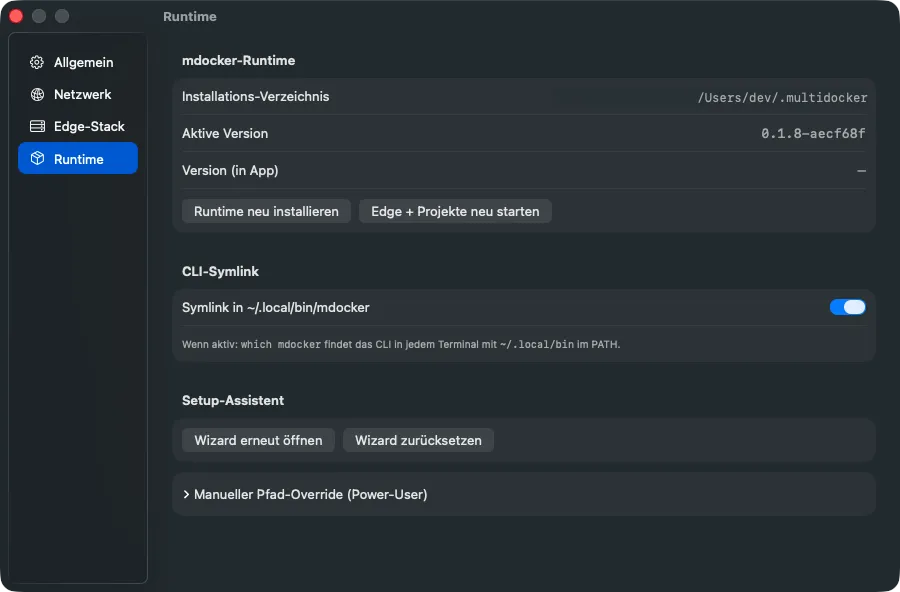
Once you are set up, the same information lives in Settings → Runtime, together with a reinstall button, the CLI symlink toggle and a way to reopen the wizard:
How the app finds the binary
Section titled “How the app finds the binary”MdockerService.locateBinary() searches in order:
- A user-configured override path (from preferences).
~/.multidocker/bin/mdocker(the wrapper).~/.local/bin/mdocker(the user symlink from the wizard)./usr/local/bin/mdocker,/opt/homebrew/bin/mdocker.which mdocker.
If none is found, the wizard surfaces the Install step.
Updates keep your data
Section titled “Updates keep your data”When a new app version ships a newer runtime, the installer unpacks a fresh
runtime/<version>/ and moves the current symlink — it never touches config/. So:
The post-update cycle
Section titled “The post-update cycle”Recreating the edge network during an update can detach running project containers, and a
plain restart won’t re-attach them. After a real runtime update, the app detects this
(pendingPostUpdateCycle) and offers to run mdocker cycle — a clean restart of the
edge stack plus every previously-running project, so everything re-attaches to the fresh
network and picks up any re-rendered overrides. You can also trigger it manually from the
Runtime settings section.
Data migration
Section titled “Data migration”On startup, before anything else constructs, DataMigration runs a set of idempotent phases
(gated by marker files) that move older installs to the current layout — including migrating
certs out of the runtime folder and into config/. Migrations only run once each.
Cookie-Einstellungen
Statistik-Werkzeuge setzen wir nur ein, wenn du zustimmst. Die notwendige Speicherung hält die Seite funktionsfähig; alles andere bleibt aus, bis du entscheidest.
Speichert deine Entscheidung aus diesem Dialog in deinem Browser (localStorage). Kein Cookie, keine Weitergabe an Dritte.
Google Analytics 4 über den Google Tag Manager, um die Nutzung der Seite zu messen. Wird erst nach deiner Einwilligung geladen.